Your first investigation
Every investigation starts empty. Add the wallets you want to look into, trace their history, and Scout builds the map of who they've moved funds with. This walks through creating your first one.
Steps
- Select Scout in the sidebar, or open Scout directly, then select New Investigation. Wallet Sleuth creates a blank investigation and takes you straight to it.
- In the wallet panel on the left, select Add Wallet to open the Add Wallet dialog.
- On the Paste Address tab, paste a Solana wallet address and select Add Wallet, or switch to From Registry to search wallets Wallet Sleuth already has aliases for and select one instead.
- The wallet appears in the panel with a blue dot marked "not traced yet." Select it to focus it, then select Trace History in the toolbar, or in the inspector panel that opens on the right, to fetch its recent transaction history. Each trace spends one of your monthly Scout requests, tracked by the pill next to Filters; see pricing for what your plan includes.
- Once the trace finishes, any wallets it moved funds with appear on the canvas as connected nodes. Select one of those to focus it and keep tracing outward.
What you'll see
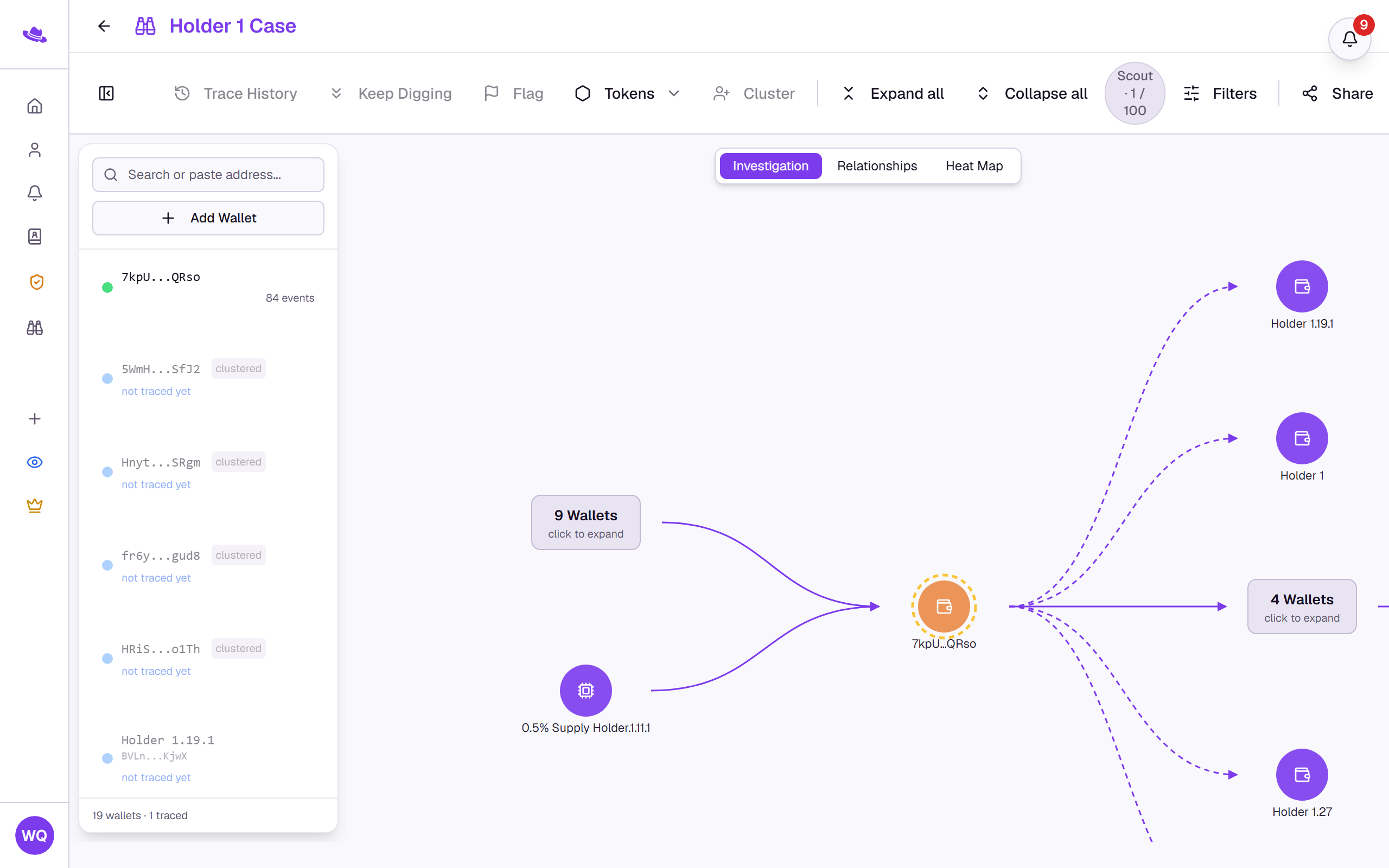
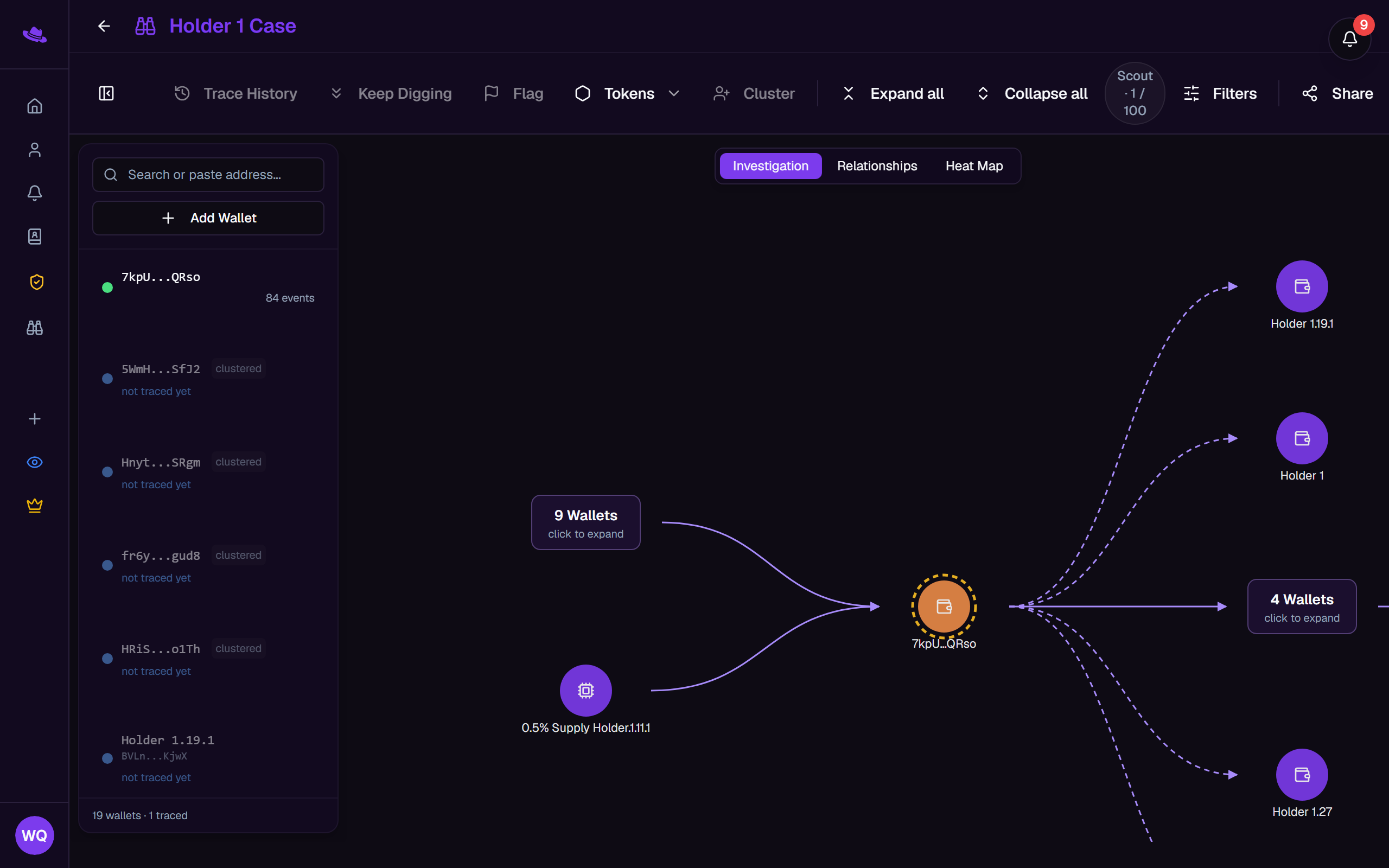
Across the top: the investigation's title (select it to rename), a save status, and a toolbar with Trace History and Keep Digging, Flag, Tokens, Cluster, the Scout requests pill, Filters, and Share. The wallet panel on the left lists every wallet you've added so far, and the canvas fills the rest of the screen.
Tips
- Once a wallet's full on-chain history has been loaded, its trace buttons are replaced by a "History fully traced" note; there's nothing left to fetch until it has new activity, so you'd need to remove and re-add it to pick that up.
- Keep Digging fetches older transactions, and only turns on once a wallet has been traced at least once.
Common questions
Trace History and Keep Digging are greyed out. Both need a wallet selected first, and neither works while a trace is already running on that wallet.
Add Wallet rejects my address. Scout investigations trace Solana wallets only, so the address needs to be a valid Solana format. A wallet already in the investigation can't be added a second time.