Behavior analytics
The Analytics tab's Trader Behavior section scores how a wallet has handled the token you're tracing: whether it holds, sells into strength, dumps, or trades in and out quickly.
What you'll see
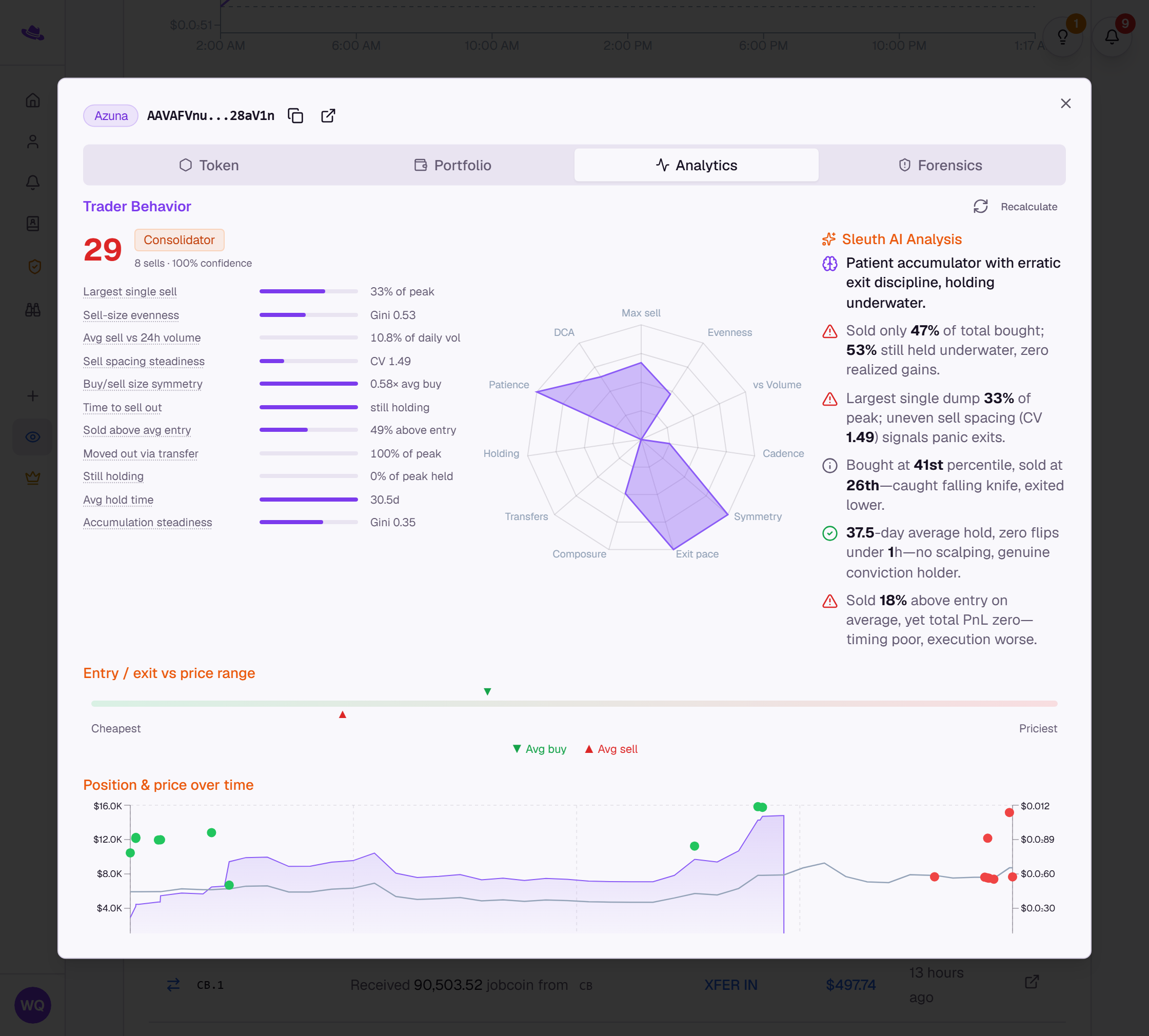
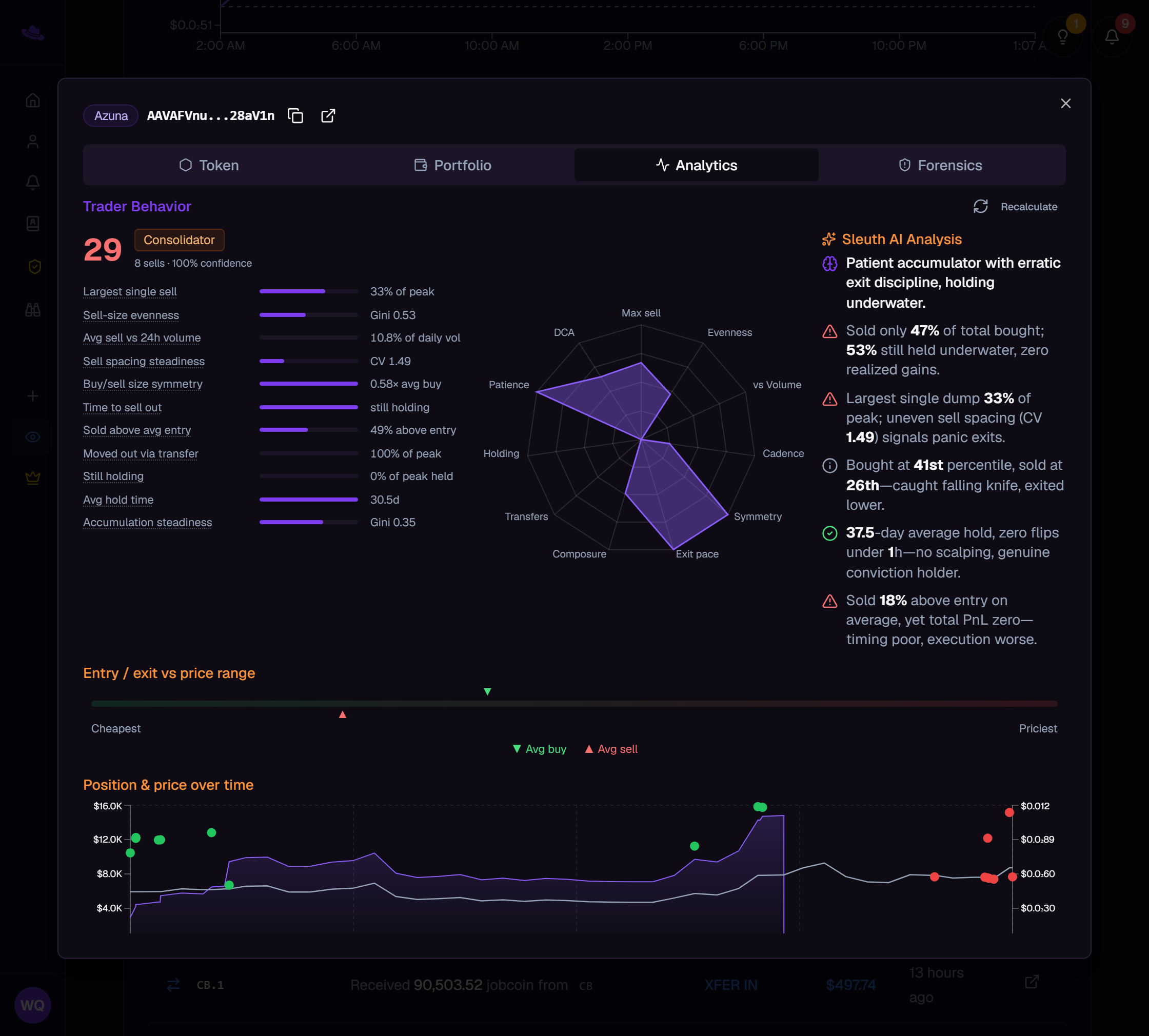
The score
A number from 0 to 100 sits beside the wallet's label: higher means more measured, holder-like behavior, lower means heavier and faster selling. It's blended from how the wallet sells, transfers, and holds, and is capped low no matter how tidy the rest of its history looks if it ever dumped its entire position in one sale. A confidence figure beside the sell count says how much of that blend could actually be measured from what's been traced. The bars beneath the score break it into its individual metrics, each with a hover explanation.
The label
The score comes with exactly one label describing the wallet's dominant style, such as Diamond Hands, Flipper, Panic Seller, or Sniper; hover it for a one-line description of what earned it. A wallet with too little sell history yet is labelled Not enough activity yet rather than forced into a category.
The radar
The radar chart plots the same metrics behind the score as spokes running outward from its center: the more of the chart the shape fills, the more measured the wallet's behavior across the board. It appears, alongside a Sleuth AI Analysis panel that turns the same figures into a short written read of the wallet's behavior, only once at least three metrics could be measured; with fewer, you'll see just the score and its bars. The AI analysis is generated from the computed numbers alone, never from raw transactions, and always carries a note to verify it against the figures beside it.
For exactly how the score, label, and each metric are computed, see Behavioral analytics.
Common questions
The Analytics tab shows a lock instead of a score. Trader Behavior analytics are available on plans that include them; see pricing.
It says not enough activity, or shows no score at all. The wallet needs a few more traced sells of this token before it can be scored. Trace deeper on the Token tab, then select Recalculate.