Sub-wallets and trailing
A sub-wallet is a tracked wallet nested under another one, drawn indented beneath its parent with an expandable row. Wallet Sleuth creates these automatically as it follows the token, and you can also build or undo the nesting yourself.
What automatic trailing does
When a wallet you're tracking sends the tracked token to an address Wallet Sleuth hasn't seen before, it automatically starts tracking that destination too, nested under the sender. A destination only gets trailed this way if it isn't already tracked, isn't the sending wallet itself, and doesn't look like a liquidity pool, a generic program account, or a multisig or vault, so a single busy contract can't flood the page with new wallets. Nesting stops after a limited number of levels so the tree doesn't grow without bound.
Each sub-wallet created this way is named after its parent with a running number, for example "Adam.1", "Adam.2", and Wallet Sleuth seeds it with its real on-chain balance rather than just the amount from the transfer that revealed it.
Steps
Before you start. Adding a sub-wallet manually, merging, ungrouping, and detaching all need Full Access: you must own the page or be a member with that access level. Automatic trailing itself needs no permission from you; it happens on its own as a tracked wallet sends funds.
Add a sub-wallet manually
- Expand a tracked wallet's row and select Add sub-wallet.
- Paste the destination address and, optionally, a nickname, then select Add.
Nest existing wallets
- Select two or more wallets.
- In the bar that appears, select Merge; its label counts the wallets you've selected.
The wallet with the largest token balance becomes the parent; the rest are renamed after it and nested underneath.
Ungroup or detach
- To flatten a parent wallet's whole cluster back to the top level, select it (and any other parents you want flattened) and select Ungroup.
- To move only specific sub-wallets out of their cluster while leaving the rest nested, select those sub-wallets and select Detach.
What you'll see
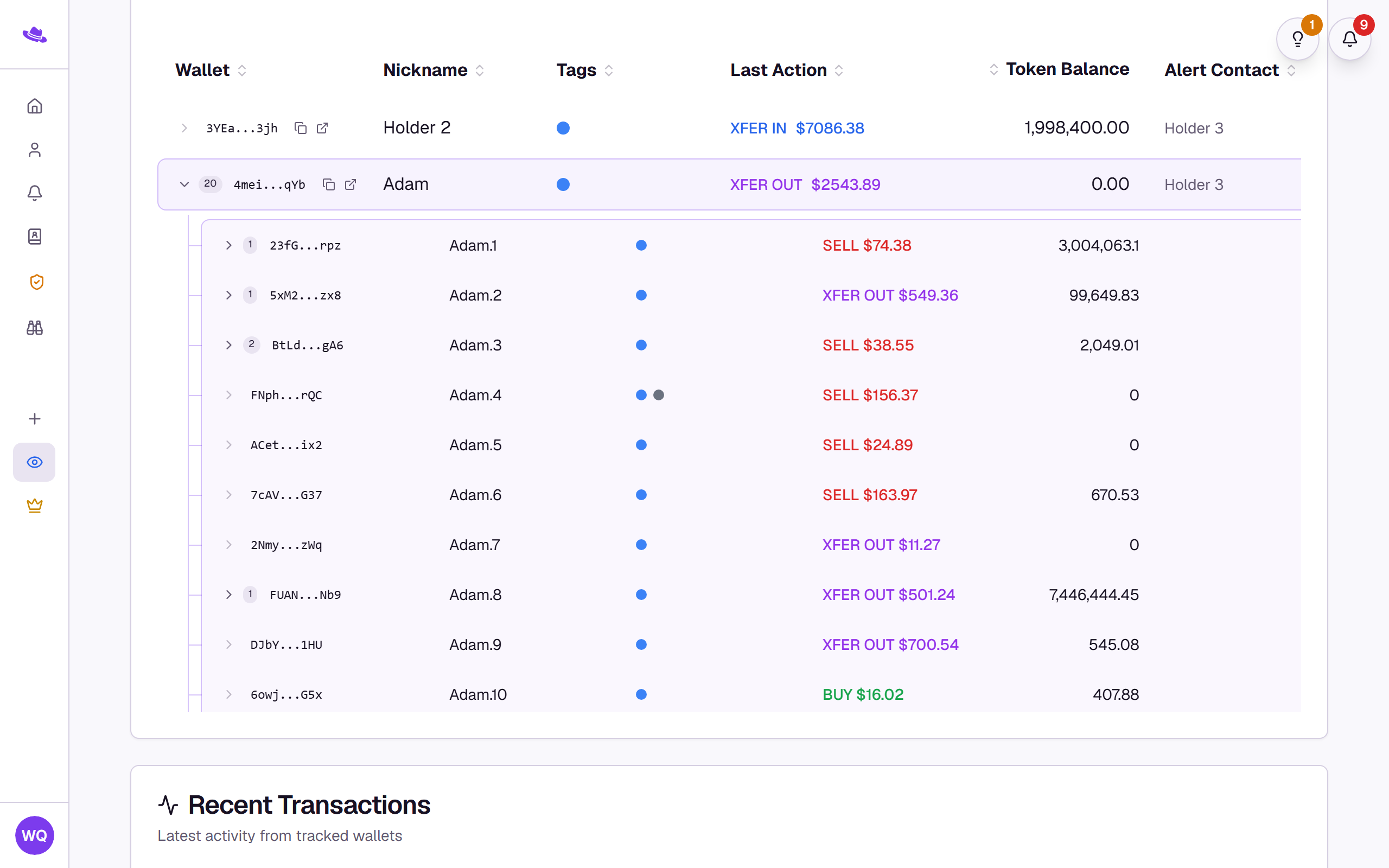
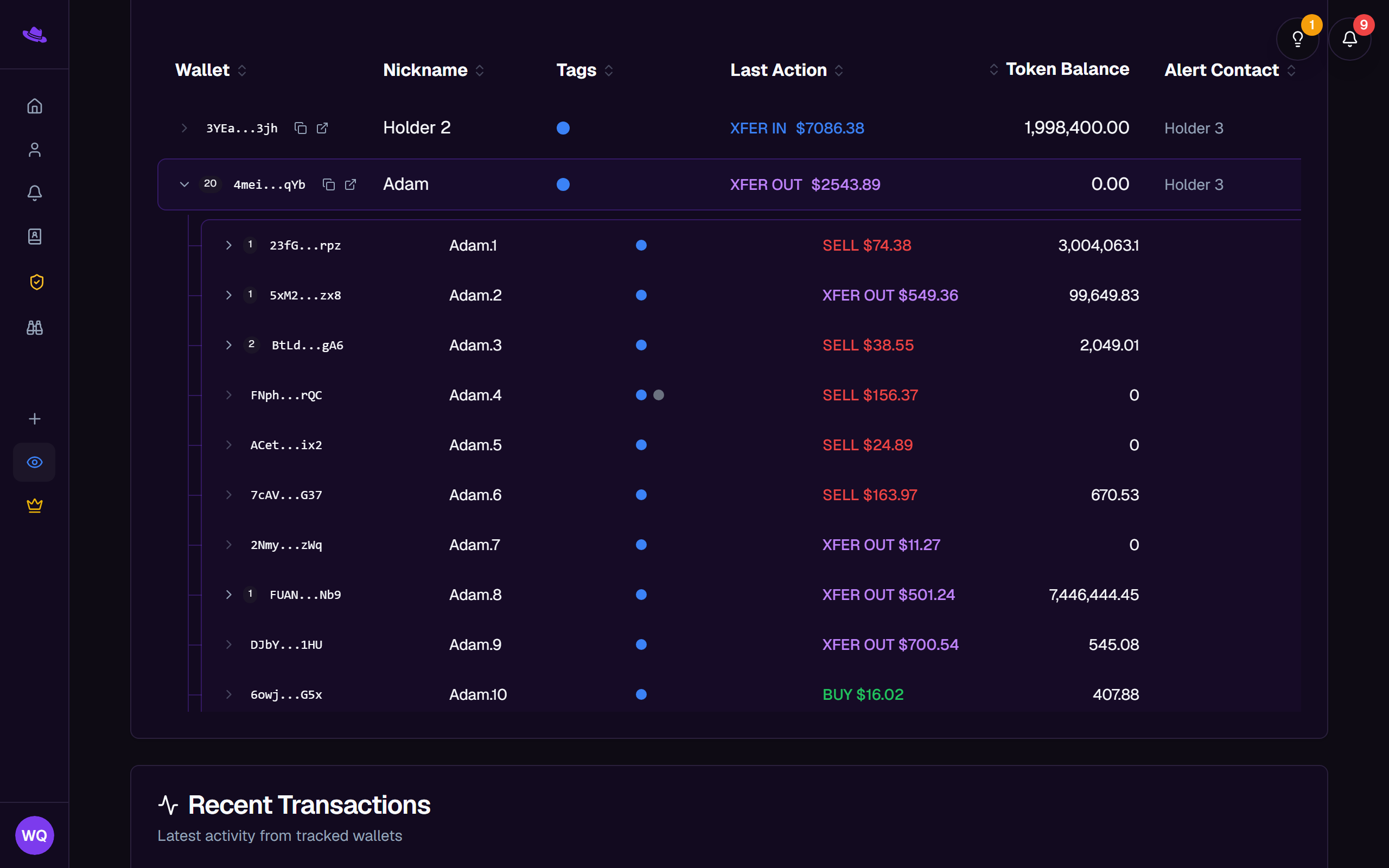
A row with children shows a count next to its expand arrow, and its Token Balance column totals the balances of its whole subtree. Selecting the arrow expands or collapses the row.
Merging wallets here feeds the same relationship graph Wallet Sleuth uses elsewhere; see Wallet relationships and clustering for how that scoring and clustering works.
Common questions
I don't see Merge, Ungroup, or Detach. These need Full Access. You need to own the page, or be a member whose access level is set to Full Access rather than Read Only.
Add sub-wallet is there, but adding one fails. The control doesn't hide itself on a Read Only page the way Merge, Ungroup, and Detach do, but adding a sub-wallet still needs Full Access, so the attempt is turned down. If the error you see reads "Depth limit reached" on a wallet nowhere near the nesting limit, a missing Full Access grant is the likely reason.
A wallet I never added showed up on my page. Automatic trailing added it because one of your tracked wallets sent it the tracked token.
I merged the wrong wallet in as the parent. Merge always makes the wallet with the largest token balance the parent; there's no separate control to choose one directly. Select the whole cluster and use Ungroup (or select just the wrong children and use Detach) to undo it, then select only the wallets you meant to merge, leaving out any wallet with a larger balance than the one you want as parent, and merge again.